



Most digital teams still treat accessibility as a refinement layer; something to address after launch. That assumption no longer holds.
The European Accessibility Act (EAA) became enforceable on June 28, 2025, making accessibility legally mandatory for EU digital products and services. This shifts accessibility from a UX consideration to a market access requirement, and a definitive factor of whether your product can legally operate and scale within the EU.
The business implications are equally significant. With 1 in 4 people in Europe living with a disability, accessibility directly affects reach, conversion, and user retention. Ignoring it is no longer a design trade-off—it’s a structural risk.
This article breaks down what the European Accessibility Act actually requires, how it impacts software and product development, and what it takes to align a global platform with EU accessibility standards at scale.
What is the European Accessibility Act 2025, and who does it apply to?
The European Accessibility Act is an EU directive that sets mandatory accessibility requirements for a defined set of products and digital services. Its primary goal is to remove barriers for people with disabilities and to create a more consistent environment for digital accessibility standards across member states. It introduces a harmonized framework that reduces fragmentation among national accessibility laws.
Similarities between EAA and other European regulations
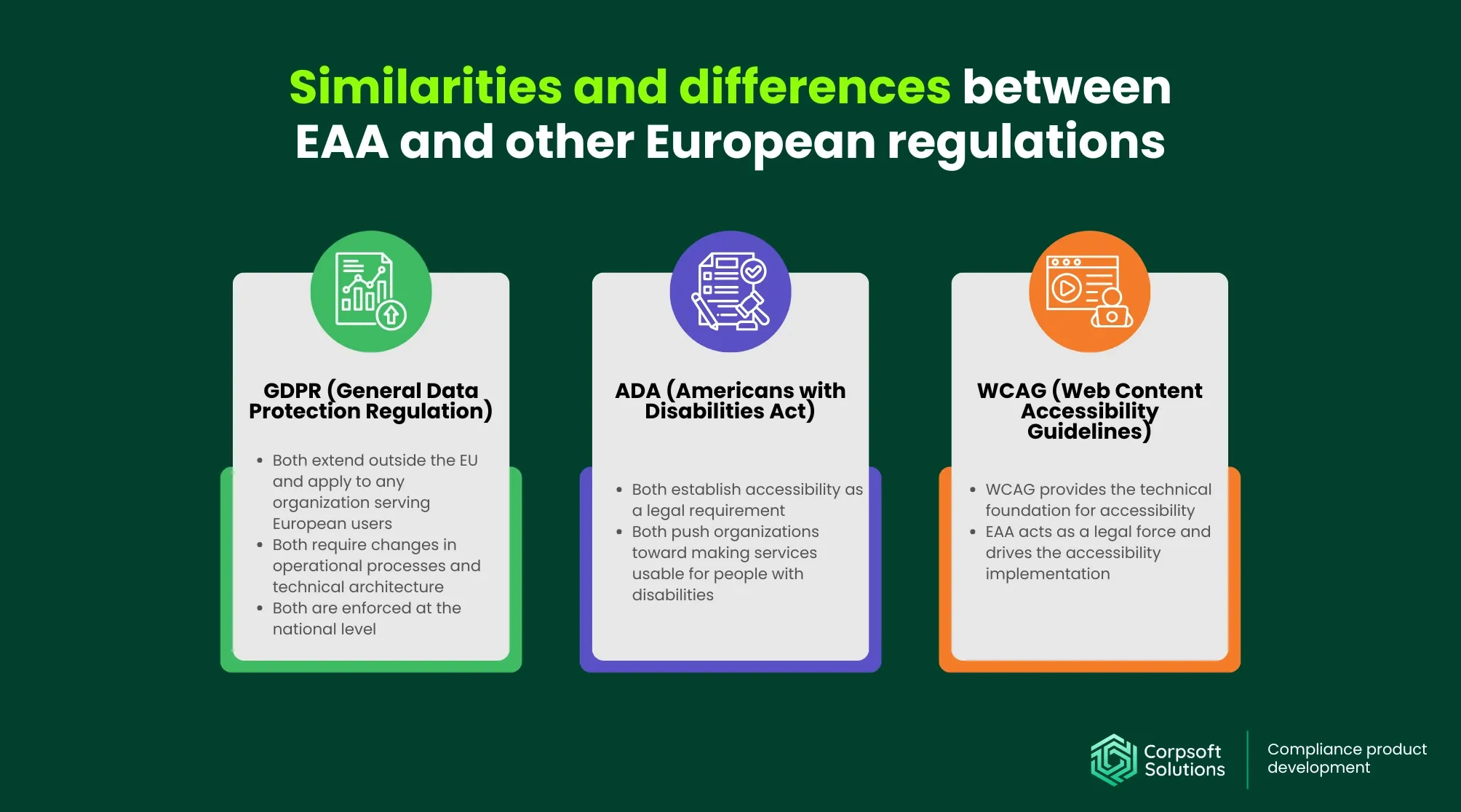
The EAA fits into a broader ecosystem of EU website accessibility laws and standards that shape how digital products are built, operated, and governed.
- GDPR (General Data Protection Regulation): Both extend beyond the EU, applying to any organization serving European users. They require changes not only in policies but also in operational processes and technical architecture, and are enforced at the national level, creating similar compliance complexity.
- ADA (Americans with Disabilities Act): Like the EAA, the ADA compliance requirements establish accessibility as a legal requirement rather than a best practice. While ADA enforcement is based on anti-discrimination law in the U.S., both regulations push organizations toward making digital services usable for people with disabilities.
- WCAG (Web Content Accessibility Guidelines): While WCAG provides the technical foundation for accessibility, the EAA gives it legal force. In practice, WCAG serves as the baseline for meeting the European Accessibility Act requirements.
The EAA can also be viewed as a regulatory layer built on top of:
- EN 301 549, the European standard for ICT accessibility, which defines how accessibility should be implemented across digital products and services
- National laws such as the UK Equality Act, France’s RGAA, and Germany’s BITV, which introduce country-specific enforcement models and compliance expectations. Although the UK is no longer part of the EU, its accessibility regulations remain highly relevant for companies operating across Europe.
Further reading: Corpsoft Solutions’ GDPR website compliance checklist: don’t miss anything before rolling your product on the EU market!
Primary subjects of the EU web accessibility directive
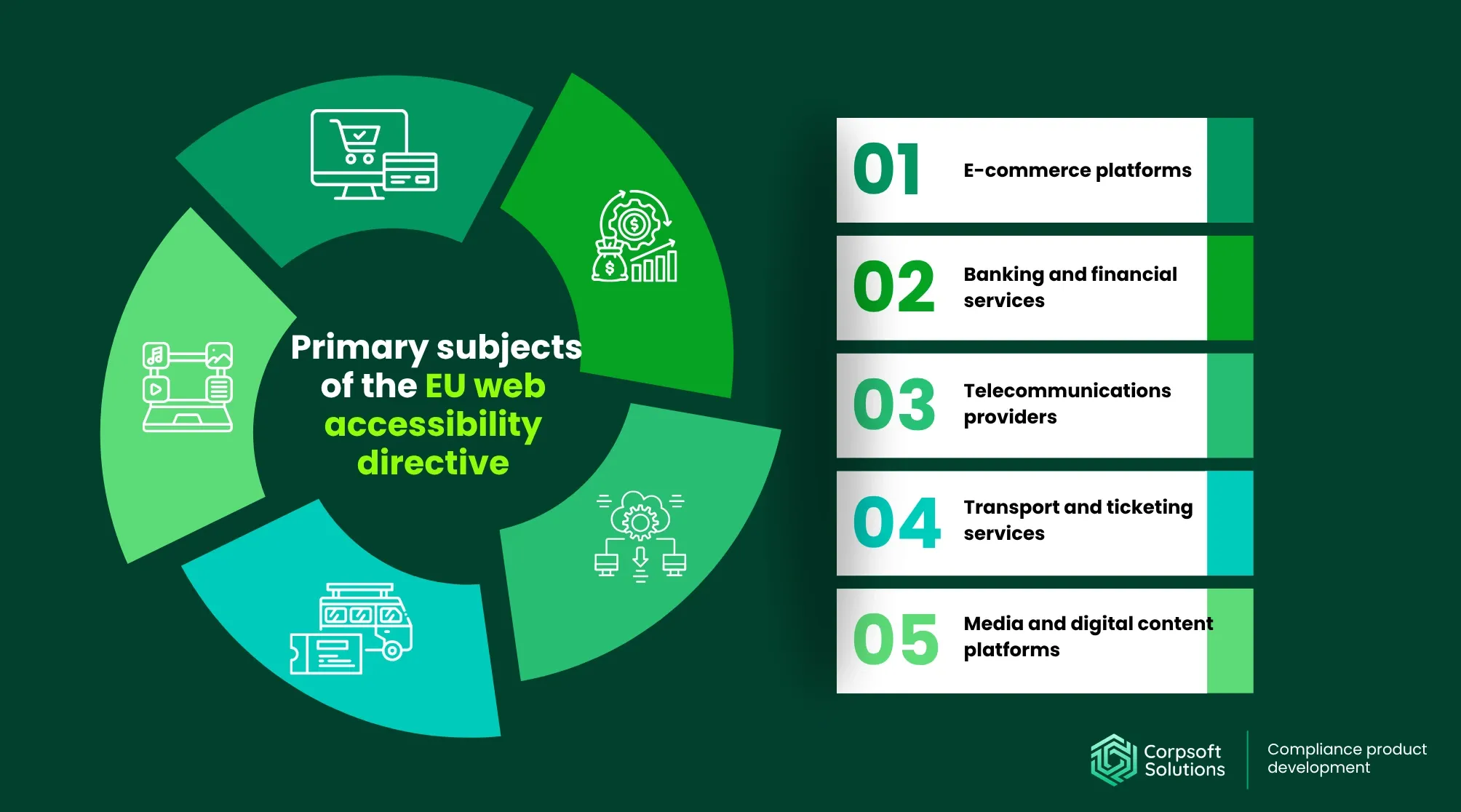
At a high level, the EAA applies to almost any business interacting with users in the EU. In practice, it targets organizations that deliver digital products and services at scale.
More specifically, the EAA applies to any organization that offers digital products or services within the EU market, regardless of where the company is based.
This includes:
- E-commerce platforms. Online stores must make all parts of the purchasing journey, including navigation, product descriptions, forms, and payment flows, accessible.
- Banking and financial services. Digital banking interfaces, payment systems, and financial tools must be usable by all users, including those relying on assistive technologies. EAA compliance here is critical due to the essential nature of these services.
- Telecommunications providers. Customer portals, billing systems, and communication interfaces must support accessible interaction. This extends to both web and mobile environments.
- Transport and ticketing services. Booking platforms, timetables, and ticketing systems must be accessible end-to-end, ensuring users can search, select, and complete transactions independently.
- Media and digital content platforms. Streaming services, news platforms, and other content providers must ensure accessibility of both interfaces and content (e.g., captions, alternative formats).
Case in point: Discover our approach to building a scalable and user-friendly booking platform for the client in the tourism niche!
Both private companies and public-facing digital services fall within the European Accessibility Act website requirements, particularly when they:
- Enable transactions. Any platform that enables users to make purchases, book, or perform financial transactions must ensure these flows are fully accessible.
- Provide user interaction or communication. Services that rely on user input forms, messaging systems, and account management must support diverse interaction methods.
- Deliver digital content or services at scale. Platforms distributing content or functionality to large audiences must ensure consistent accessibility across all touchpoints.
While small businesses may qualify for certain exemptions, these are typically narrow and conditional. In practice, they rarely apply to digital products designed to scale across the EU market.
Key EU accessibility directive requirements for digital products: What it takes to be accessible?
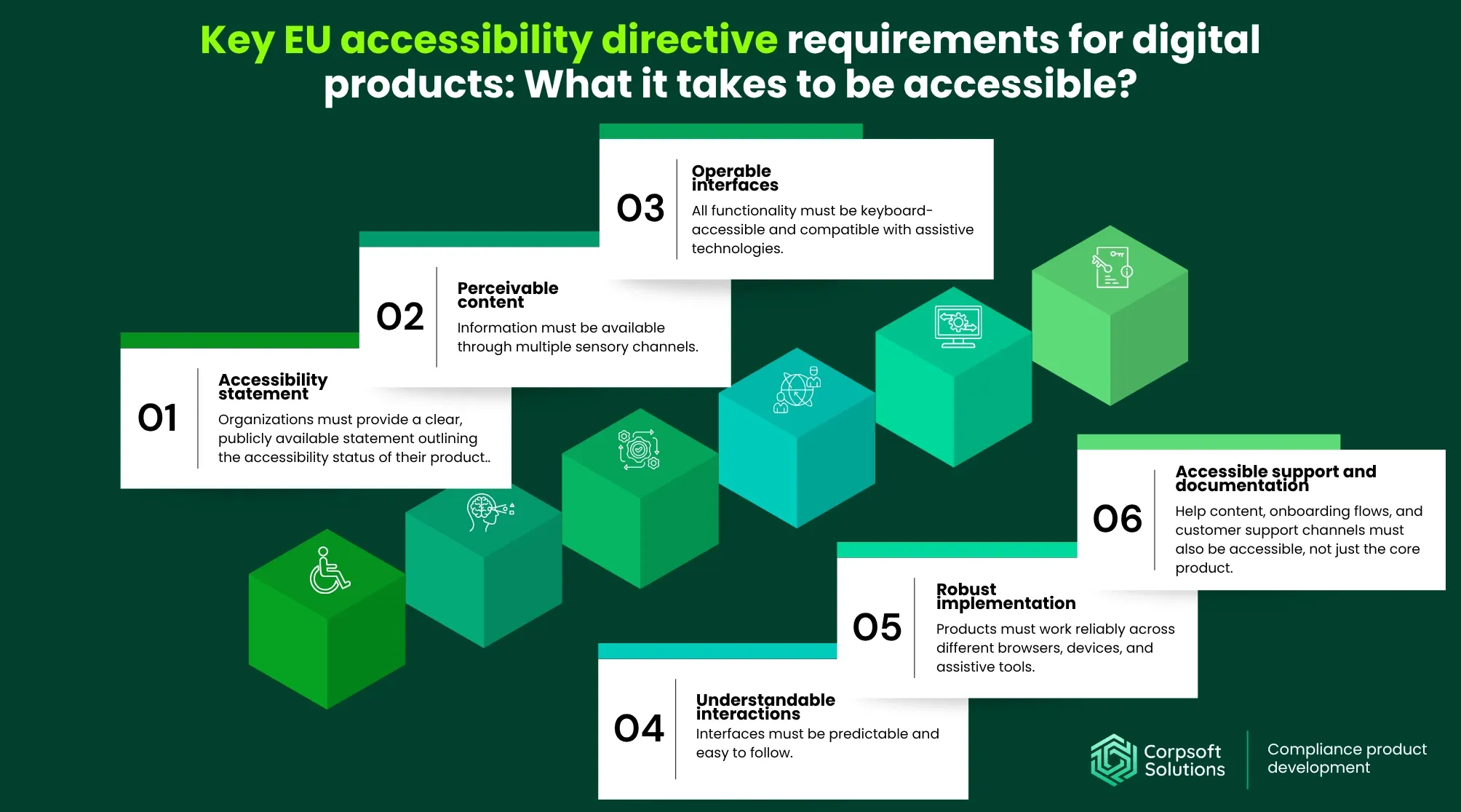
To pass the European Accessibility Act audit, development and business teams should translate accessibility into practical, testable requirements that shape how digital products function. While the directive itself is high-level, in practice it relies on established standards (such as WCAG and EN 301 549) that define what “accessible” means across interfaces and interactions. This includes:
- Accessibility statement. Organizations must provide a clear, publicly available statement outlining the accessibility status of their product. This includes known limitations, compliance level, and contact channels for reporting issues.
- Perceivable content. Information must be available through multiple sensory channels. This includes alternative text for images, captions for media, and sufficient contrast for readability.
- Operable interfaces. All functionality must be keyboard-accessible and compatible with assistive technologies. Users should be able to navigate and interact without relying on a mouse.
- Understandable interactions. Interfaces must be predictable and easy to follow. This includes clear labels, consistent navigation patterns, and helpful error messages.
- Robust implementation. Products must work reliably across different browsers, devices, and assistive tools. This requires clean, semantic code and proper use of accessibility attributes.
- Accessible support and documentation. Help content, onboarding flows, and customer support channels must also be accessible, not just the core product.
These requirements define how accessibility must function across the entire system. Which is why, in practice, accessibility must be embedded into the platform itself.
Why EAA compliance becomes a platform-level concern
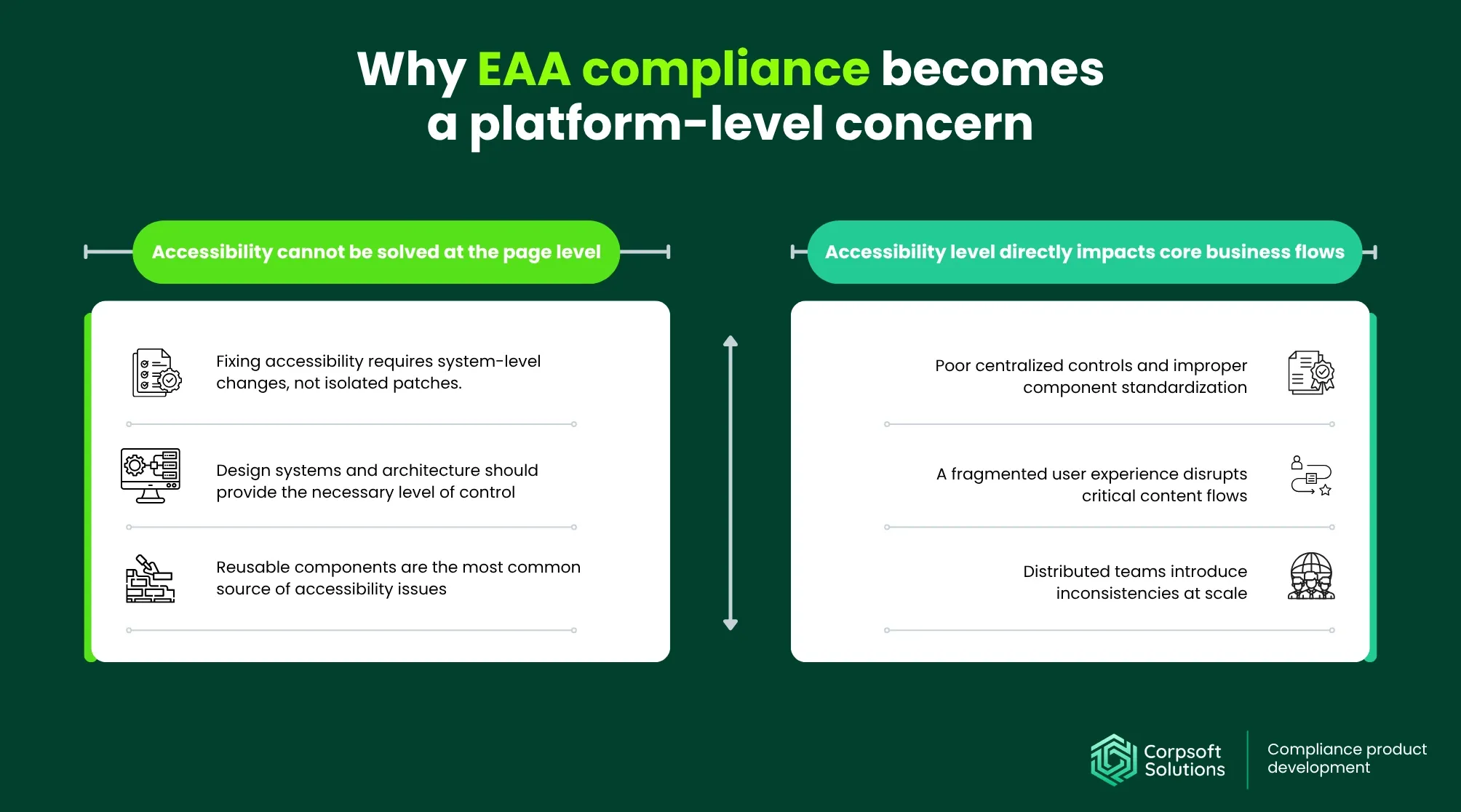
Achieving EAA is a complex, multi-step process that addresses all layers of the design systems, embedding international accessibility standards into the foundations of how digital products are designed and built.
Accessibility cannot be solved at the page level
Accessibility issues are typically rooted in how the system is structured and reused across the product. This leads to a few outcomes:
- Fixing accessibility requires system-level changes, not isolated patches. Addressing individual screens or elements may temporarily resolve visible issues, but it does not eliminate the underlying problem. If the root cause exists in shared logic or components, the same issue will continue to appear elsewhere. Sustainable website accessibility requires architectural changes.
- Design systems and architecture should provide the necessary level of control. A well-structured design system allows teams to define accessibility once and scale it consistently. By embedding accessibility into components and interaction patterns, organizations can ensure that all teams follow the same standards. This creates predictability and reduces the risk of inconsistencies.
- Reusable components are the most common source of accessibility issues. Elements like forms, buttons, and navigation patterns are reused across multiple flows. If a single component is inaccessible, it can cause problems wherever it appears. This makes component-level accessibility critical for maintaining system-wide compliance.
Accessibility level directly impacts core business flows
EAA website accessibility level affects how users complete key actions within a product and significantly impacts the overall user experience. Here are some of the most painful areas where the lack of accessibility can surface:
- Poor centralized controls and improper component standardization. Without centralized control, accessibility issues accumulate with each release. Small inconsistencies compound, gradually reducing the system’s overall quality and reliability. Over time, this makes both maintenance and compliance significantly more difficult.
- A fragmented user experience disrupts critical content flows. When certain parts of a journey are inaccessible, users cannot complete key actions such as onboarding, purchasing, or account management. This results in partial experiences that undermine both usability and business outcomes.
- Distributed teams introduce inconsistencies at scale. Teams working across different markets or segments often implement features differently. This creates inconsistencies in user journeys and operational processes, which can lead to a snowball effect. When behavior is inconsistent across the system, compliance with the European Accessibility Act for B2B cannot be reliably verified.
By enforcing a unified set of requirements, the EAA helps organizations address these risks early by shifting accessibility from reactive fixes to proactive planning and development practices.
The impact of the EU accessibility directive on product development
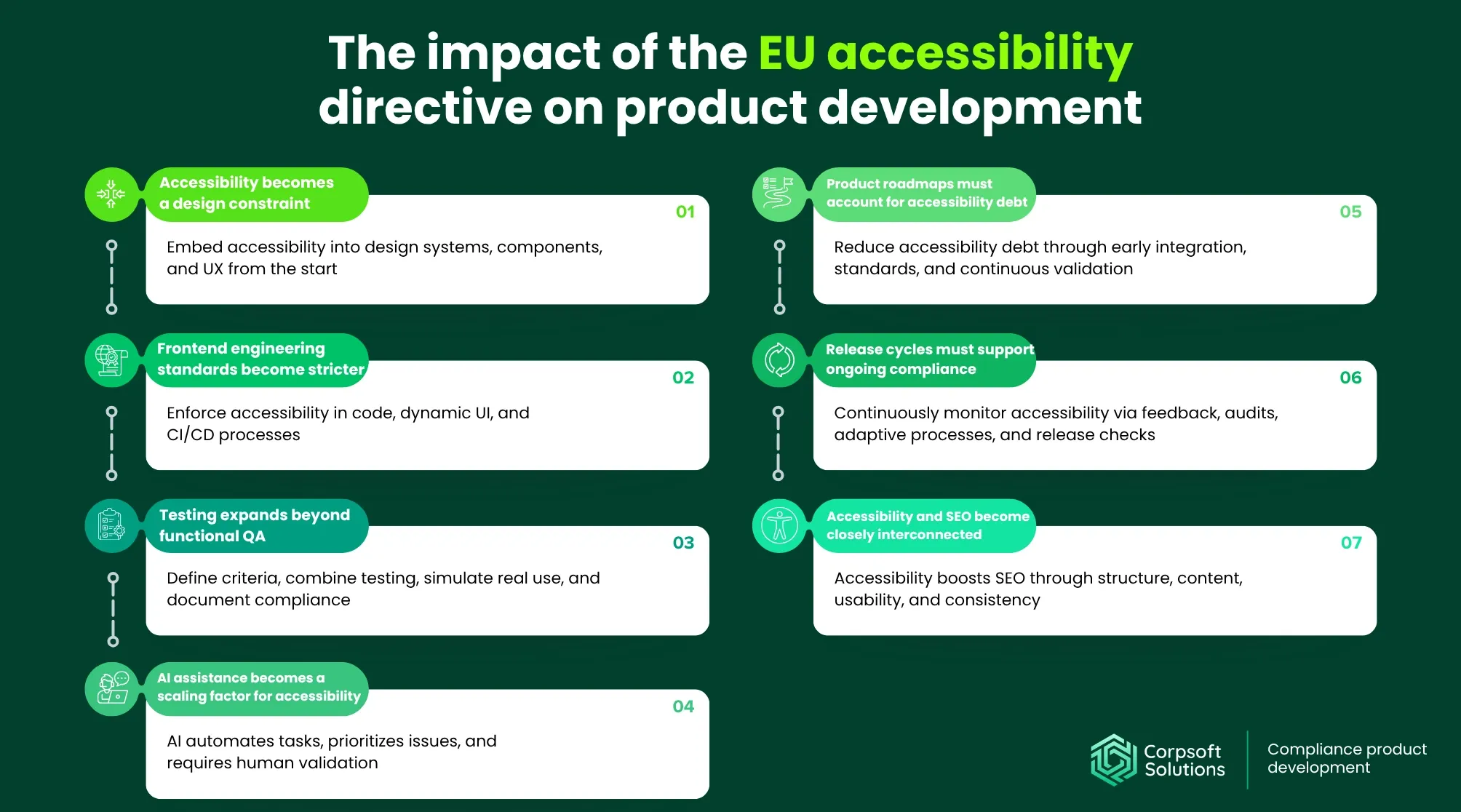
EAA compliance fundamentally changes how digital products are built, making accessibility a constraint that shapes design decisions, engineering practices, and release processes from the start.
Accessibility becomes a design constraint
EAA compliance for non-EU companies must be embedded early in the product lifecycle, influencing how interfaces are structured and scaled.
- Accessibility must be integrated into design systems from the start. UX flows, wireframes, and component libraries should be built with accessibility in mind. This ensures that accessibility is not retrofitted later but becomes part of the product’s foundation.
- Component libraries must meet accessibility standards by default. Buttons, forms, modals, and navigation elements must be keyboard-accessible, screen-reader-compatible, and consistently labeled. This allows teams to reuse components without introducing new accessibility issues.
- Designers must work within accessibility-driven principles. Contrast, hierarchy, and navigation logic need to be considered during the design phase. This reduces the need for rework and ensures a consistent, inclusive user experience.
When accessibility is embedded at the system level, it scales naturally across features and markets. Retrofitting accessibility later is costly and often leads to fragmented solutions.
Frontend engineering standards become stricter
EAA accessibility should be integrated into the core frontend features, making website elements reusable across the entire platform. Here’s how to achieve this:
- Semantic HTML and proper ARIA usage are mandatory. Developers must structure content in a way that assistive technologies can interpret correctly. Misuse or overuse of ARIA can introduce new issues rather than solve existing ones.
- Dynamic interfaces require careful accessibility handling. The EAA accessibility checklist mandates that single-page applications, modals, and dropdowns correctly manage focus states, provide announcements to assistive technologies, and deliver clear interaction feedback. These elements often break accessibility when not implemented properly.
- Accessibility logic is embedded directly into code. Accessibility is enforced at the implementation level, not just visually. This means developers are responsible for ensuring that components behave correctly across different interaction methods.
- CI/CD pipelines must include accessibility checks. Automated checks should be integrated into pipelines to prevent regressions. Without them, accessibility issues can block releases or delay market entry.
- Compliance becomes a continuous frontend process. Accessibility must be maintained across iterations and releases. This turns EAA compliance into an ongoing engineering responsibility rather than a one-time effort.
Testing expands beyond functional QA
Along with the frontend, digital accessibility rules also extend to testing and validation, introducing additional checks, acceptance criteria, and audits.
- Accessibility acceptance criteria must be defined. Teams need clear criteria for what constitutes an accessible feature. These should be treated with the same priority as functional and performance requirements.
- Testing must include both automated and manual approaches. Automated tools can detect technical issues, but manual testing is required to validate real user interactions. This includes keyboard navigation and screen reader usage.
- Accessibility testing must simulate real-world usage. Products should be tested under conditions that reflect how users with disabilities interact with them. This helps identify issues that are not visible through standard QA processes.
- Documentation becomes a critical requirement. Teams must document accessibility decisions, known limitations, and compliance status. This supports audits, internal alignment, and long-term maintenance.
AI assistance becomes a scaling factor for accessibility
AI integration into existing design systems introduces new ways to scale accessibility efforts across large and complex platforms.
- Automation of repetitive tasks reduces manual effort. AI can generate alt text, captions, and basic accessibility metadata. This allows teams to handle large volumes of content more efficiently.
- AI helps identify patterns and prioritize issues. By analyzing large datasets, agentic AI can surface recurring accessibility problems and highlight high-impact areas. This supports better prioritization and resource allocation.
- AI improves efficiency but does not replace human validation. While AI reduces the likelihood of human error, it cannot fully understand context or user experience. A human-in-the-loop approach is required to validate outputs and ensure usability.
Further reading: Tips on how to gauge the autonomy for your AI agents from the Corpsoft Solutions team
Product roadmaps must account for accessibility debt
Accessibility debt is the accumulated cost of unresolved or poorly implemented accessibility decisions within a digital product.
It builds up when accessibility is ignored, deprioritized, or only partially implemented during design and development. Instead of being addressed at the source, issues are lingering in the system, often in the form of inaccessible shared components, and compound over time.
In practice, accessibility debt often originates from:
- shipping features without proper keyboard support or screen reader compatibility
- using non-accessible components across multiple parts of the product
- relying on quick fixes instead of updating the underlying design system
- postponing accessibility improvements in favor of speed or delivery timelines
Over time, this makes the European Accessibility Act testing and remediation efforts more complex, more expensive, and more disruptive to ongoing development.
From a product perspective, accessibility debt directly affects:
- the ability to scale into regulated markets, like achieving EAA compliance for non-EU companies)
- the stability and consistency of the user experience
- the speed at which new features can be safely released
Release cycles must support ongoing compliance
As the product evolves, accessibility must be continuously managed and kept in step with it. Here are a few essential tips that will help you build a reliable accessibility monitoring pipeline:
- Regular user feedback is essential. Teams should collect feedback from users with disabilities to understand real-world issues. This provides insights that cannot be captured solely through automated testing.
- Periodic audits help maintain compliance. Accessibility audits should be conducted regularly to identify regressions and new issues. This ensures the product remains aligned with evolving standards.
- Processes must adapt over time. Accessibility requirements and user expectations evolve, requiring continuous updates. Teams must be prepared to refine their approach as new challenges emerge.
- Compliance becomes part of release management. Accessibility must be validated before and after each release. This ensures that new features do not compromise existing accessibility standards.
Accessibility and SEO become closely interconnected
Finally, international web accessibility laws often directly impact search visibility, making it a dual investment in compliance and discoverability.
- Semantic structure improves crawlability and indexing. Proper use of headings, labels, and structured content helps search engines better understand page hierarchy.
- Accessible content enhances overall content quality. Alt text, transcripts, and clear labeling not only support assistive technologies but also provide additional context for search engines.
- Improved usability leads to better engagement signals. Accessible interfaces reduce friction, which can positively influence metrics like bounce rate and time on page.
- Consistency across components supports scalable SEO. When accessibility is embedded into design systems, SEO benefits scale automatically across pages and features.
Digital accessibility across Europe: key country-level differences
While the EAA applies across the EU, it is a directive rather than a directly binding law, meaning each country implements it through its own legal framework. As a result, accessibility requirements are aligned at a high level, but enforcement models, scope, and practical expectations vary by country.
| Country | Legislation | Key requirement | Regulation subjects | How it’s enforced |
| United Kingdom | UK Equality Act | Equal access to digital services as part of anti-discrimination law | Websites, mobile apps, digital services (especially public-facing) | Enforced through legal claims and complaints, accessibility failures can be treated as discrimination |
| Germany | BITV (Barrier-Free Information Technology Ordinance) | Strict compliance with accessibility standards aligned with WCAG | Public sector websites and services; expanding to the private sector under EAA-related laws | Enforced by regulatory bodies and consumer protection mechanisms, high legal exposure |
| France | RGAA (Référentiel Général d’Amélioration de l’Accessibilité) | Mandatory accessibility compliance with public reporting | Public sector and certain private services require audits and accessibility statements | Enforced through audits, mandatory disclosures, and financial penalties for non-compliance |
| Italy | Legge Stanca (Stanca Law, Law No. 4/2004) | Accessibility requirements for digital services, historically public sector-focused | Public sector and increasingly private digital services, especially essential services | Enforced through national regulation; scope expanding in alignment with EAA |
| Netherlands | Temporary Decree on Digital Accessibility Government | Compliance with WCAG-based standards and accessibility by design | Primarily public sector digital services, with influence on private sector practices | Enforced through government oversight, reporting requirements, and compliance monitoring |
Even though the UK is no longer part of the EU, its regulatory approach remains closely aligned with the EU’s in many areas. Existing and evolving standards can draw on EU legislative principles, which are subsequently adapted and enacted within the UK legal framework.
Common pitfalls that arise when businesses try to align with the EAA (European Accessibility Act)
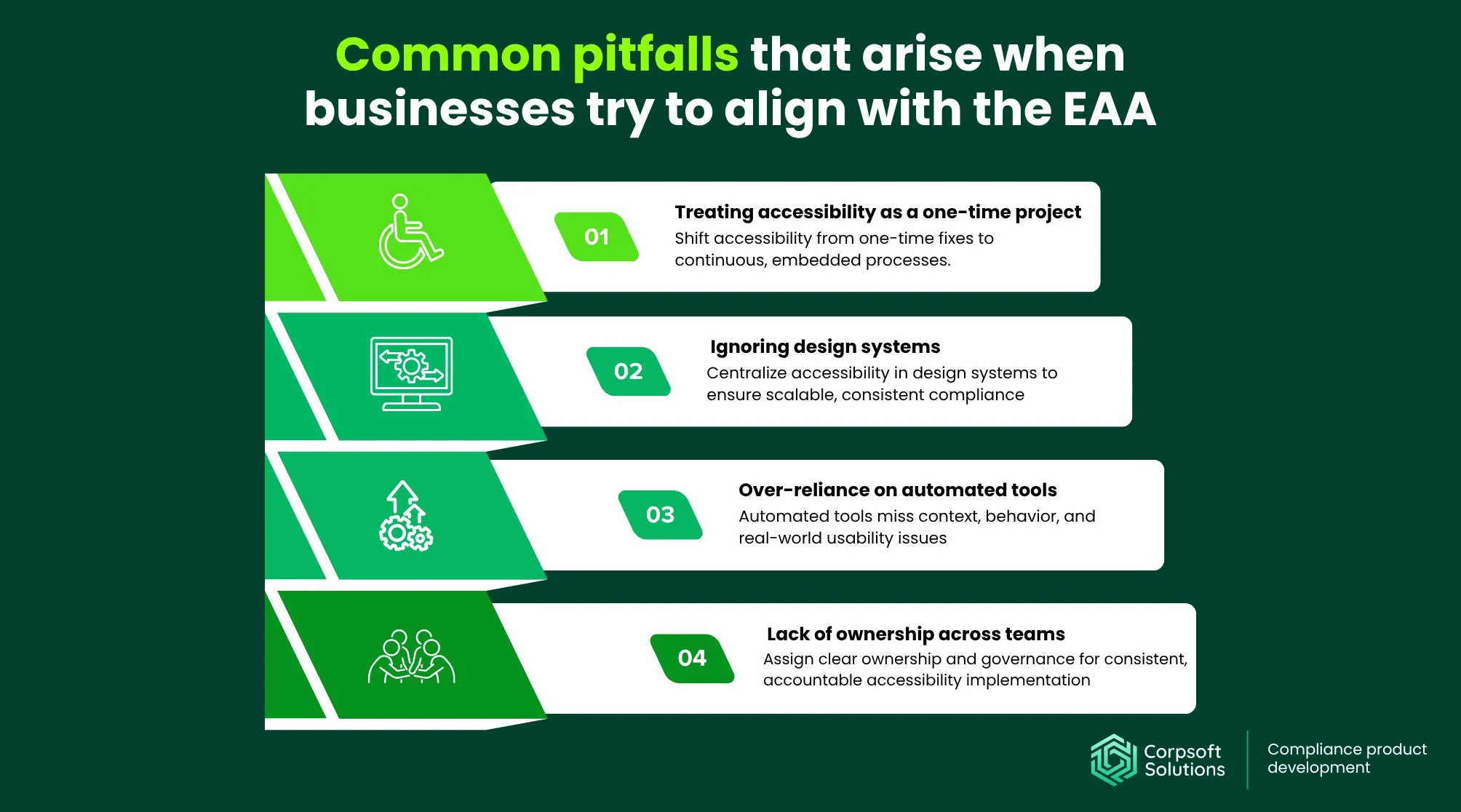
Aligning with the EAA website compliance rules helps businesses avoid the structural mistakes that make compliance unsustainable.
#1 Treating accessibility as a one-time project
Accessibility is often treated as something to “fix” before a corporate website launch or during an audit. In reality, this mindset leads to recurring issues as new features and updates introduce regressions.
Because digital products evolve continuously, the European Accessibility Act guidelines must be embedded in ongoing development processes. Without continuous validation and iteration, even compliant systems quickly fall out of alignment with EAA requirements.
#2 Ignoring design systems
Many teams attempt to fix accessibility at the page or feature level, ignoring the role of shared components. This leads to duplicated effort and inconsistent results across the product.
Design systems are the primary control point for accessibility at scale. If core components (such as forms, buttons, or navigation) are not accessible, issues will propagate across all flows that reuse them. Without investing in accessible design systems, compliance becomes fragmented and difficult to maintain.
Further reading: UX maturity: check where your website stands
#3 Over-reliance on automated tools
Automated work by scanning code and checking it against rule-based criteria. They are good at detecting technical violations, but accessibility also relies on how real people interact with the product.
Here are a few situations where automated tools might fall short in delivering an accessible experience:
- They don’t understand context. A tool can check whether an image has alt text, but it cannot determine whether that alt text is meaningful or helpful. For example, while using “image123.jpg” as an alt tag is technically valid, it’s useless for a screen reader user, and an automated tool cannot tell you that.
- They don’t simulate real user behavior. Tools don’t “navigate” your product like a human would, using a keyboard, voice commands, or a screen reader. Which means they cannot detect issues like confusing navigation order or unclear interaction feedback.
- They can’t evaluate usability. Accessibility goes beyond the question “can the user access it?” It also includes the knowledge of whether a user can interact with your product efficiently. For example, a website form may be technically accessible, but input error messages might be confusing or poorly placed. An automation tool won’t flag that, but a real user will struggle.
#4 Lack of ownership across teams
Accessibility often falls between teams with no clear ownership. This leads to gaps in accountability and inconsistent implementation.
Without defined responsibility and governance, accessibility is deprioritized or applied inconsistently. Successful EAA alignment requires clear ownership, cross-functional coordination, and measurable accountability across the entire product lifecycle.
Aligning your platform with the European Accessibility Act website requirements: practical steps from Corpsoft Solutions
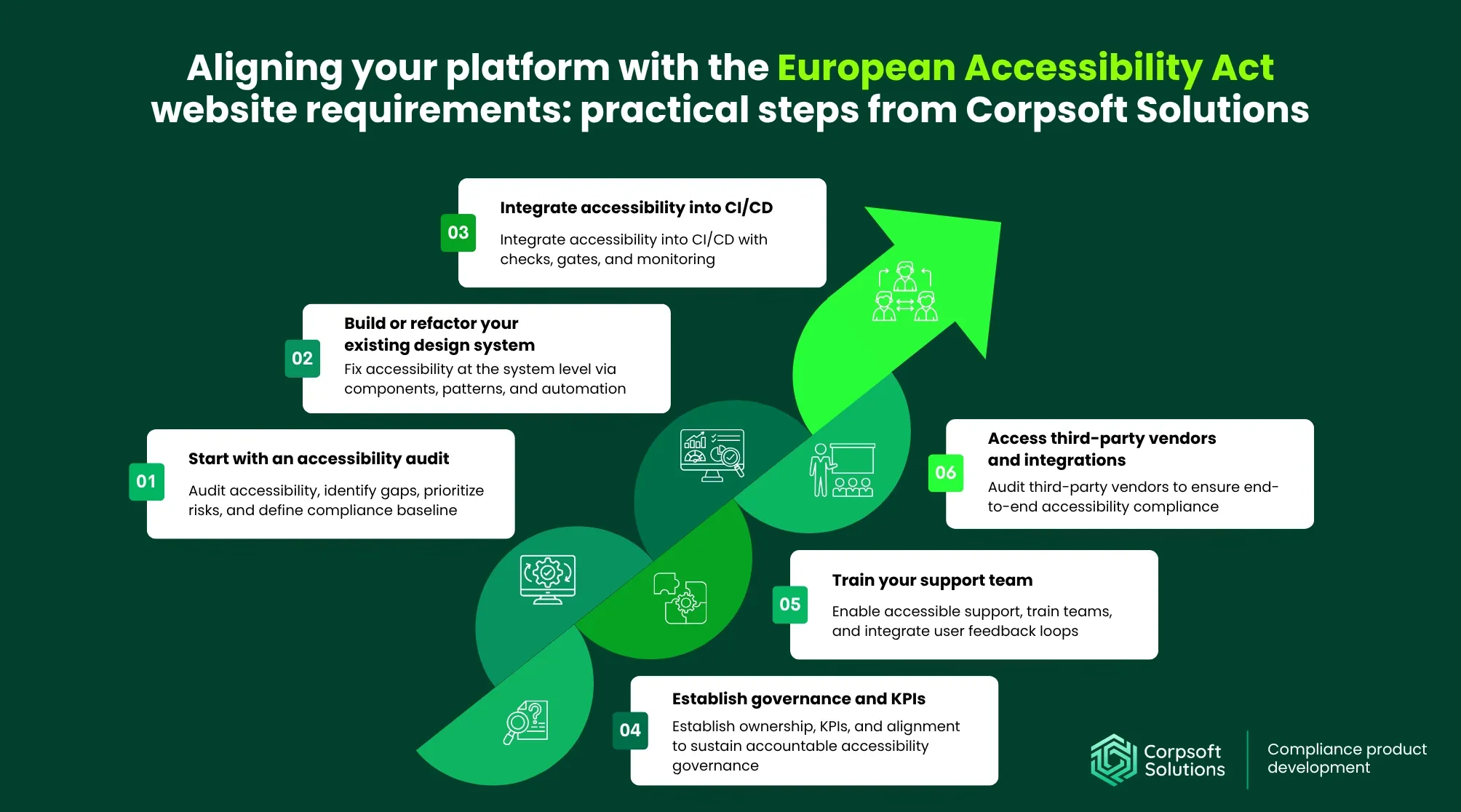
For organizations with existing digital products, aligning with the European Accessibility Act web browser compliance requirements requires systematic upgrades to those products. The goal is to identify gaps, reduce risk, and embed accessibility into ongoing product development while preparing for expansion into European markets.
#1 Start with an accessibility audit
An audit is the foundation of any accessibility effort. It helps establish where the product stands today and what needs to change to meet EAA requirements.
- Identify gaps across user journeys and content flows. Focus on critical paths such as onboarding, checkout, and account management. These flows carry the highest business and compliance risk if accessibility issues are present.
- Assess risk and impact on the product. Prioritize issues based on severity, frequency, and business impact. This helps allocate resources effectively and avoid unnecessary rework.
- Establish a compliance baseline and acceptance criteria. Define what “accessible” means for your product using WCAG-aligned criteria. This creates a clear benchmark for both remediation and future development.
Further reading: How AI-driven audit tools can help you uncover hidden resource losses
#2 Build or refactor your existing design system
Once key issues are identified, the next step is to address them at the system level. Design systems are the most effective way to scale accessibility across a product.
- Start with shared components where issues scale the most. Evaluate the accessibility of existing components and prioritize fixing those reused across multiple parts of the platform.
- Standardize user and admin interaction patterns. Consistent and predictable flows across the product reduce cognitive load and improve usability.
- Leverage automation for repeatable tasks. Automating elements such as labeling, validation patterns, and UI behaviors reduces manual effort and minimizes inconsistencies.
After these changes, many scalability issues and UX inconsistencies will be resolved at the system level, eliminating the need for tedious page-by-page updates.
#3 Integrate accessibility into CI/CD
To sustain international web accessibility laws over time, it must become part of the development workflow. CI/CD integration ensures that new features do not introduce regressions.
- Introduce automated checks for new features and updates. Embedding accessibility validation into development pipelines helps detect issues early, before they reach production.
- Block releases with critical accessibility issues. If major accessibility violations are detected, releases should be paused until proper validation is completed. This ensures compliance is not compromised for speed.
- Combine accessibility and compliance monitoring. Integrating monitoring tools allows teams to track both accessibility performance and regulatory alignment.
#4 Establish governance and KPIs
Without clear ownership and measurable goals, accessibility efforts quickly lose momentum. Governance ensures accountability, while KPIs make progress visible.
- Define ownership across the product lifecycle. Assign responsibility for accessibility at each stage: from solution design to QA. A clear chain of ownership ensures accountability and consistency.
- Introduce measurable KPIs. Track metrics such as accessibility adoption rate, issue resolution time, and compliance coverage.
- Align accessibility with product goals. Accessibility should support broader business and product objectives. Integrating it into planning ensures it evolves alongside the product rather than becoming a separate initiative.
#5 Train your support team
Finally, digital accessibility extends beyond product delivery into how users interact with support channels. Well-trained teams can identify and resolve issues faster.
- Equip support teams to handle accessibility-related issues. Customer support is often the first point of contact for users experiencing accessibility barriers.
- Create feedback loops between users and product teams. Insights from support interactions can reveal real-world accessibility challenges. Feeding this information back into product development helps prioritize meaningful improvements.
- Ensure accessibility across support channels. Help centers, chat systems, and documentation must also be accessible. This ensures users can get assistance without encountering additional barriers.
#6 Access third-party vendors and integrations
Along with adjusting internal systems to meet accessibility guidelines, you need to also check third-party vendors. If an external integration is inaccessible, it directly impacts your platform’s overall compliance.
Typical high-risk integrations include:
- Maps and geolocation services. Interactive maps often rely on complex UI patterns that are difficult to navigate with assistive technologies. Alternative ways to access location-based information must be provided.
- Payment gateways. Payment flows are high-risk because they are critical for conversion. If users cannot complete transactions due to accessibility barriers, both compliance and revenue are affected.
- Chat widgets. Support tools must be accessible to all users, including those relying on screen readers or keyboard navigation. Inaccessible chat interfaces can block users from getting help when they need it most.
- Embedded media files. Videos and audio content must include captions, transcripts, and accessible controls. Without these, users with disabilities are excluded from consuming content.
Conclusion
The European Accessibility Act makes accessibility a core requirement for operating in the EU market. For organizations with existing digital products, this means moving beyond isolated fixes and embedding accessibility into design systems, engineering practices, and release processes.
Achieving compliance requires a structured approach: understanding regulatory expectations, addressing system-level issues, and establishing governance that maintains accessibility over time.
Ultimately, accessibility becomes part of how products scale, impacting user experience, operational efficiency, and market readiness. Organizations that approach it as a foundational capability are better positioned to adapt to regulatory requirements and evolving user needs.
Share this post: